Skip to content
PixelJobs

Channel research

losterah

Preserved channel statistics and portfolio associations. Ownership and project authorship are separate checks.

3.1K

Subscribers

348.2K

Views

30

Videos

Country: Not retained · Channel created: Not retained
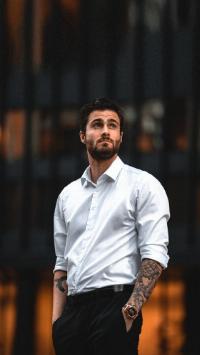
Retained portfolio examples

Create REALISTIC Fog in MINUTES with Adobe Photoshop

Create REALISTIC Fog in MINUTES with Adobe Photoshop

losterah · 76.4K historical views

People behind the work

Sean KernermanVideo Editor profile

Roles recorded on this video: Video Editor

Historical credit: what this means

A retained source record links this person and role to the video. It has not been independently re-verified.

View count is from the source record, not a live YouTube figure.

Create REALISTIC Fog in MINUTES with Adobe Photoshop
losterah76.4K historical views
Sean KernermanVideo Editor
Historical credit: what this means

A retained source record links this person and role to the video. It has not been independently re-verified.

Remove backgrounds in Photoshop #photoediting #photoshop #photoshoptutorial

Remove backgrounds in Photoshop #photoediting #photoshop #photoshoptutorial

losterah · 622 historical views

People behind the work

Sean KernermanVideo Editor profile

Roles recorded on this video: Video Editor

Historical credit: what this means

A retained source record links this person and role to the video. It has not been independently re-verified.

View count is from the source record, not a live YouTube figure.

Remove backgrounds in Photoshop #photoediting #photoshop #photoshoptutorial
losterah622 historical views
Sean KernermanVideo Editor
Historical credit: what this means

A retained source record links this person and role to the video. It has not been independently re-verified.

3 lenses I always have in my camera bag!  Tamron 17-28 f2.8 - Tamron 70-180 f2.8 - Sony 50mm f 1.8

3 lenses I always have in my camera bag! Tamron 17-28 f2.8 - Tamron 70-180 f2.8 - Sony 50mm f 1.8

losterah · 10.6K historical views

People behind the work

Sean KernermanVideo Editor profile

Roles recorded on this video: Video Editor

Historical credit: what this means

A retained source record links this person and role to the video. It has not been independently re-verified.

View count is from the source record, not a live YouTube figure.

3 lenses I always have in my camera bag! Tamron 17-28 f2.8 - Tamron 70-180 f2.8 - Sony 50mm f 1.8
losterah10.6K historical views
Sean KernermanVideo Editor
Historical credit: what this means

A retained source record links this person and role to the video. It has not been independently re-verified.

HOW TO EDIT Teal and Orange Nature photos | Lightroom Tutorial

HOW TO EDIT Teal and Orange Nature photos | Lightroom Tutorial

losterah · 1.2K historical views

People behind the work

Sean KernermanVideo Editor profile

Roles recorded on this video: Video Editor

Historical credit: what this means

A retained source record links this person and role to the video. It has not been independently re-verified.

View count is from the source record, not a live YouTube figure.

HOW TO EDIT Teal and Orange Nature photos | Lightroom Tutorial
losterah1.2K historical views
Sean KernermanVideo Editor
Historical credit: what this means

A retained source record links this person and role to the video. It has not been independently re-verified.

Add Motion Blur With PATH BLUR | Photoshop Tutorial

Add Motion Blur With PATH BLUR | Photoshop Tutorial

losterah · 3.8K historical views

People behind the work

Sean KernermanVideo Editor profile

Roles recorded on this video: Video Editor

Historical credit: what this means

A retained source record links this person and role to the video. It has not been independently re-verified.

View count is from the source record, not a live YouTube figure.

Add Motion Blur With PATH BLUR | Photoshop Tutorial
losterah3.8K historical views
Sean KernermanVideo Editor
Historical credit: what this means

A retained source record links this person and role to the video. It has not been independently re-verified.

How to edit DARK AND MOODY Street Photography | Lightroom Tutorial

How to edit DARK AND MOODY Street Photography | Lightroom Tutorial

losterah · 3.1K historical views

People behind the work

Sean KernermanVideo Editor profile

Roles recorded on this video: Video Editor

Historical credit: what this means

A retained source record links this person and role to the video. It has not been independently re-verified.

View count is from the source record, not a live YouTube figure.

How to edit DARK AND MOODY Street Photography | Lightroom Tutorial
losterah3.1K historical views
Sean KernermanVideo Editor
Historical credit: what this means

A retained source record links this person and role to the video. It has not been independently re-verified.

Historical creative associations

Create REALISTIC Fog in MINUTES with Adobe Photoshop

Create REALISTIC Fog in MINUTES with Adobe Photoshop

losterah · 76.4K historical views

People behind the work

Sean KernermanVideo Editor profile

Roles recorded on this video: Video Editor

Historical credit: what this means

A retained source record links this person and role to the video. It has not been independently re-verified.

View count is from the source record, not a live YouTube figure.

Sean Kernerman

Video Editor

Portfolio example

Create REALISTIC Fog in MINUTES with Adobe Photoshop · losterah

  • Education
  • Howto & Style
Historical profile · confirm availability
View profile

Employer jobs

No published employer jobs linked to this channel.

youtube channel 18021